 condoo.Vibe
How condoo.Vibe Works
Understand the plan, build, review, and iterate loop that condoo.Vibe uses to turn your ideas into working, publishable software.
condoo.Vibe turns your ideas into working software through an AI-powered product development workflow.
Instead of generating an application in a single step and leaving you with the result, condoo.Vibe works through a continuous process of understanding what you want, planning the implementation, building it, and helping you improve it.
At its simplest, the workflow looks like this:
Plan → Build → Review → Iterate
1. Tell condoo.Vibe what you want to create
Everything starts with a conversation.
Describe the website, application, feature, or change you want condoo.Vibe to create.
For example:
Build a world-class construction website. The website should have all the navigations a construction website should have. Use professional and very clean images.
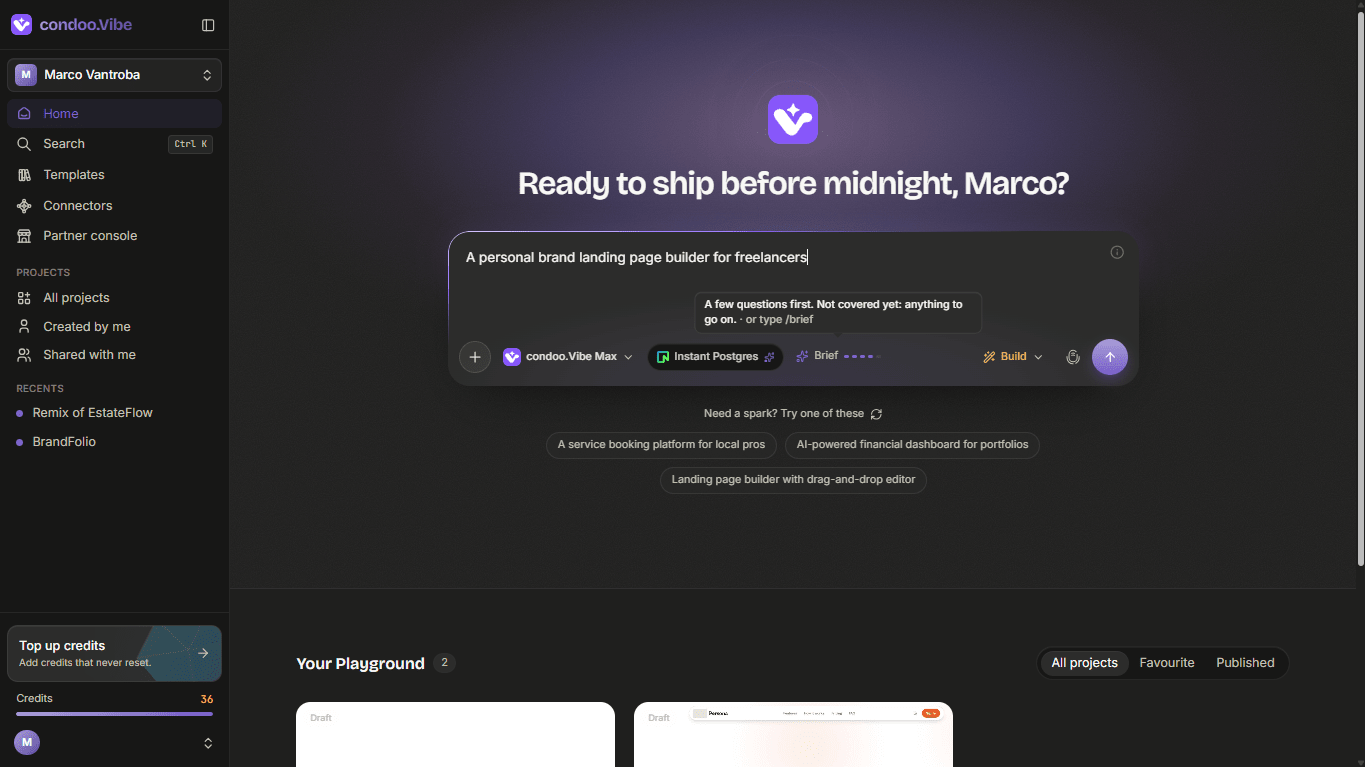
You don't need to describe every technical detail. condoo.Vibe interprets your request and determines what needs to be created.
2. Plan
For more complex builds, condoo.Vibe can plan the product before writing the implementation.
The planning process turns your request into a structured specification that condoo.Vibe can use to understand what it needs to build.
Depending on the project, this can include:
- Product intent
- Pages and features
- User flows
- Data requirements
- Backend functionality
- Technical requirements
- Integrations
condoo.Vibe can also audit and refine the plan before implementation.
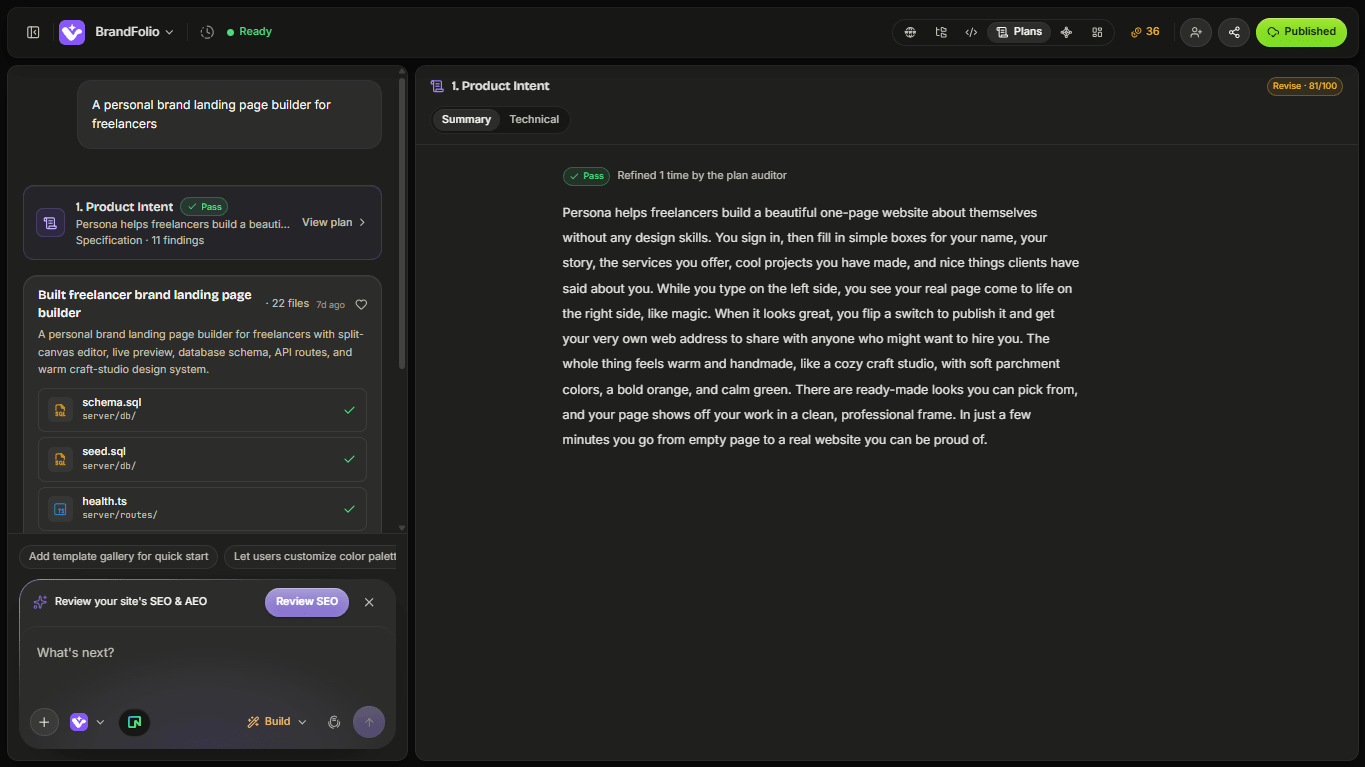
This gives you visibility into what condoo.Vibe intends to create before the full build begins.
3. Build
Once the direction is clear, condoo.Vibe turns the plan into a working application.
condoo.Vibe handles the implementation across the product, including the interface, application logic, pages, data requirements, and other functionality required by your project.
You can watch the application take shape inside the condoo.Vibe workspace and preview the result as it develops.
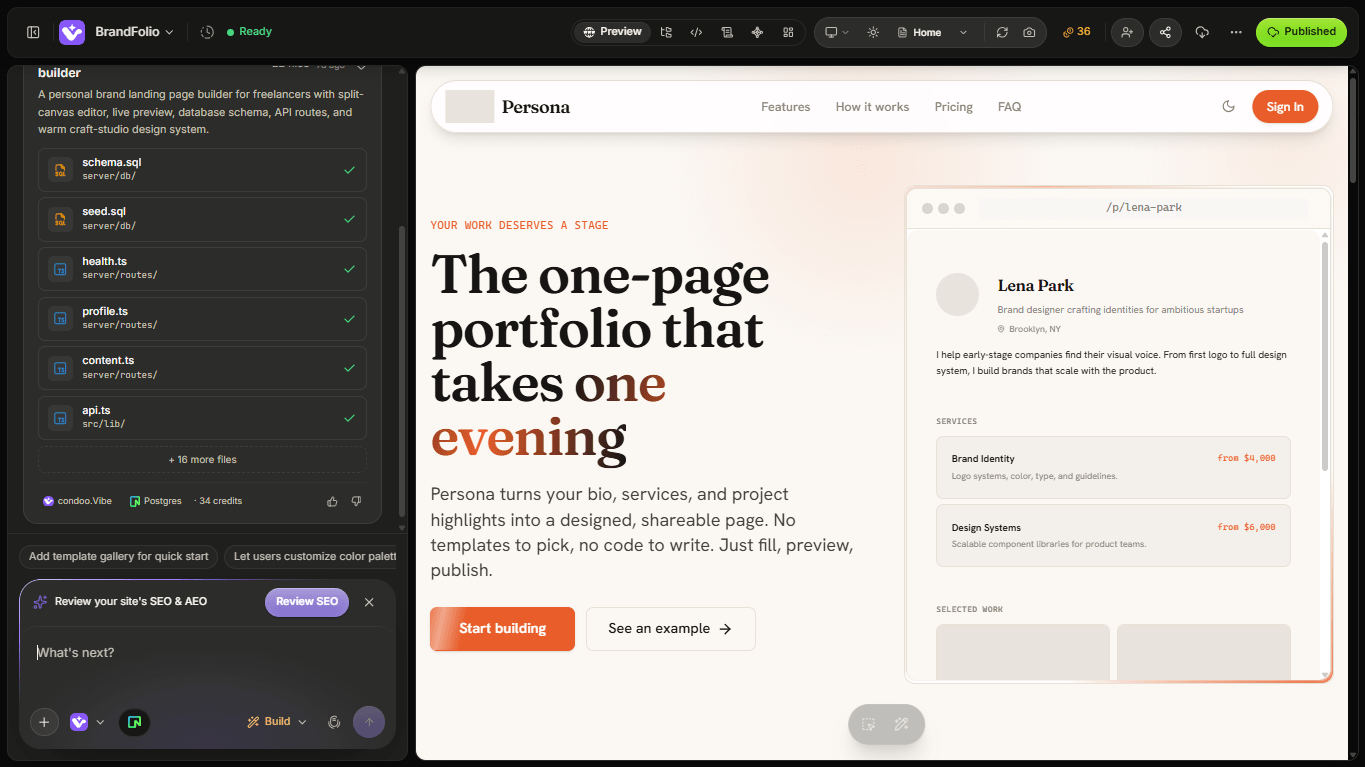
You don't need to manually translate the plan into code. condoo.Vibe handles the implementation for you.
4. Review
When condoo.Vibe completes a build, you can review the result directly in the workspace.
Check the application visually and interact with it just like a user would.
You might discover that you want to:
- Change part of the design
- Adjust some content
- Add another page
- Change how a feature works
- Add functionality
- Fix an issue
You don't need to start over.
Simply tell condoo.Vibe what you want changed.
5. Iterate
This is where condoo.Vibe becomes more than a one-time app generator.
Your project remains something you can continue working on.
For example, you might start with:
Build a booking website for a fitness studio.
Then later ask:
Add customer accounts and allow users to manage their bookings.
And later:
Add monthly memberships with online payments and an admin dashboard.
condoo.Vibe continues working on the same product as your requirements evolve.
Your first build is the beginning, not the finished product.
The condoo.Vibe development loop
Plan
condoo.Vibe understands your idea and determines what needs to be built.
Build
condoo.Vibe turns the plan into a working application.
Review
Preview and test what condoo.Vibe created.
Iterate
Tell condoo.Vibe what you want changed, improved, fixed, or added.
You can repeat this loop as many times as necessary:
Plan → Build → Review → Iterate → Build → Review → Iterate
This is how an initial idea can gradually become a complete product.
You stay in control
condoo.Vibe handles much of the technical implementation, but you remain in control of the product.
You decide what to build, review what condoo.Vibe creates, provide feedback, and determine what happens next.
For quick changes, you can ask condoo.Vibe to build immediately.
For larger changes, you can plan them first and review the approach before implementation begins.
This lets you move quickly when the task is simple while taking a more structured approach when the product becomes complex.
From idea to live product
Building is only part of the condoo.Vibe workflow.
Once your application is ready, condoo.Vibe can publish it to a live URL so other people can use it.
And publishing doesn't end development.
You can return to the project, continue making changes with condoo.Vibe, and publish improved versions as your product evolves.
Next: Create your first project
Now that you understand how condoo.Vibe works, let's create your first project and see the workflow in action.