 condoo.Vibe
Publishing to a Live URL
Publish your condoo.Vibe project to a live URL: preview your work, test the production build, and share it with customers or your team.
Building your application is only part of the process.
When you're ready to share your project with customers, teammates, testers, or the public, condoo.Vibe lets you publish it to a live URL.
You don't need to configure a server or manually deploy your application just to get it online.
Build with condoo.Vibe. Preview your work. Publish when you're ready.
Preview vs Published
While you're building with condoo.Vibe, you can preview your application and see your changes as you work.
Your published application is the live version that other people can access.
Think of it like this:
BUILD
  ↓
PREVIEW
  ↓
REVIEW
  ↓
PUBLISH
  ↓
LIVE APPLICATION
You can continue working on your project after it has been published.
Publishing isn't the end of development.
Before You Publish
Before publishing your project, take a moment to review the application.
Check important areas such as:
- Navigation
- Forms
- Authentication
- Mobile responsiveness
- Database functionality
- Images and media
- External integrations
- Payments, if applicable
- Permissions
- Error states
- Important user workflows
Don't only check whether the homepage looks good.
Test the application the way a real user would use it.
Publish Your Project
When you're ready, use the Publish option inside your condoo.Vibe project.
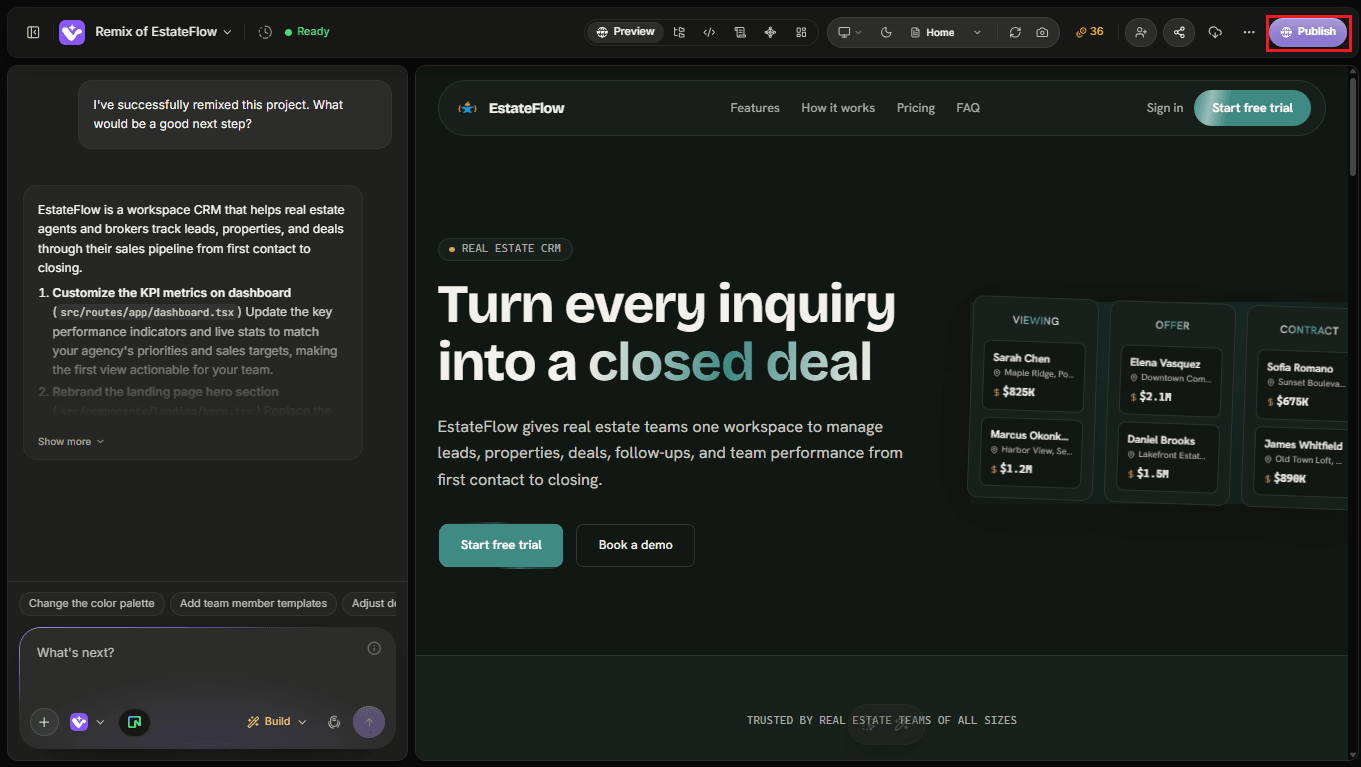
condoo.Vibe will prepare your application and deploy it.
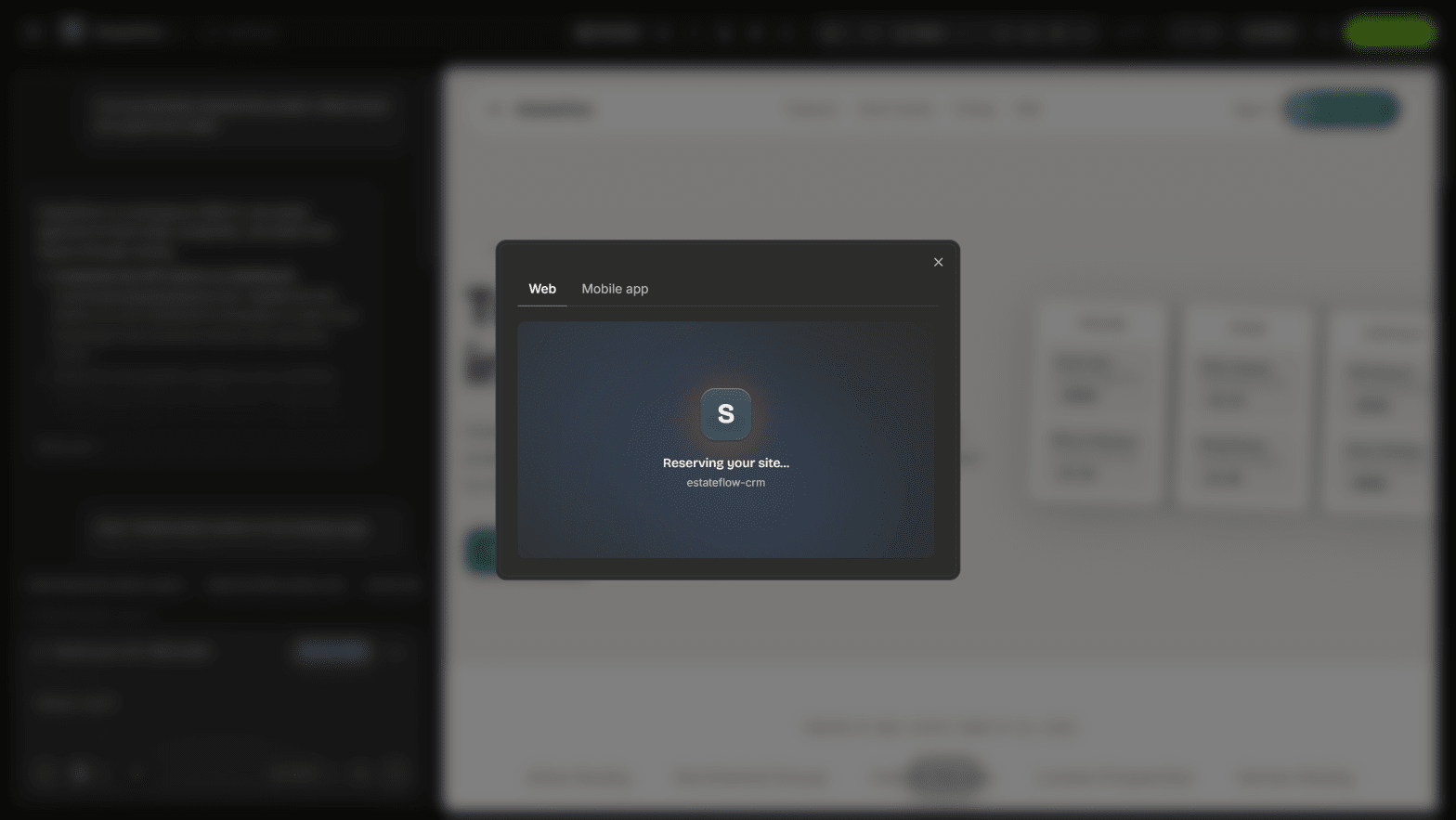
Once publishing is complete, your project will have a live URL that you can open and share.
Conceptually:
condoo.Vibe Project
     ↓
Publish
     ↓
Deployment
     ↓
Live URL
Your condoo.Vibe Live URL
After publishing, condoo.Vibe provides a live URL for your application.
You can use this URL to:
- Open your live application
- Share it with customers
- Send it to teammates
- Test the production experience
- Collect feedback
- Demonstrate your project
- Launch your product
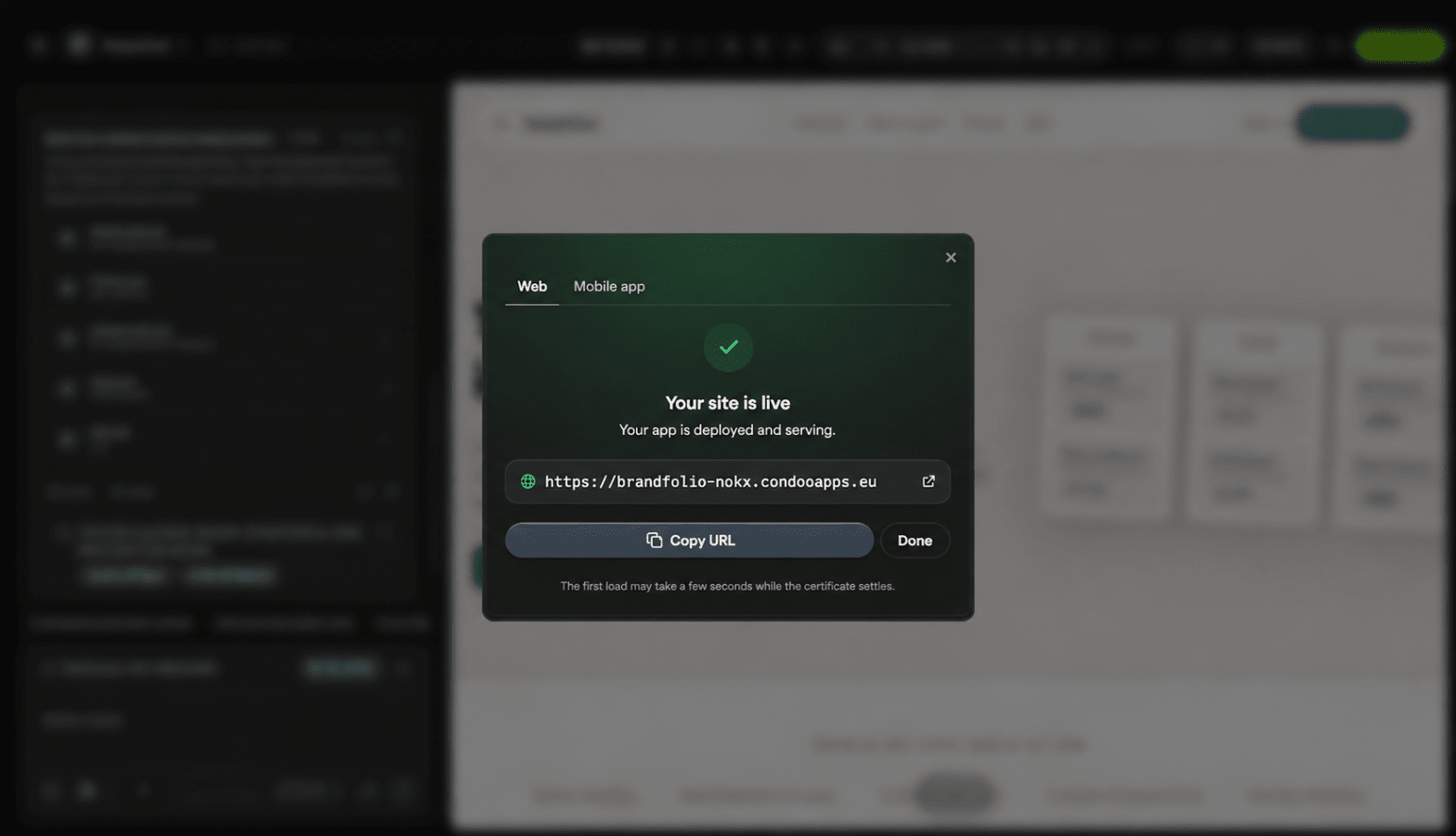
Open Your Published Application
After deployment completes, open the live URL.
Don't assume that a successful deployment means every part of the application works perfectly.
Test the actual published version.
For example:
Publish
   ↓
Open Live URL
   ↓
Test Application
   ↓
Everything Works?
  ↙              ↘
Yes               No
 ↓                 ↓
Share             Fix
Test the Live Version
Your published application should be tested separately from the editor preview.
Try important workflows such as:
Navigation
Open different pages and verify that links work correctly.
Authentication
If your application requires accounts, test:
- Sign up
- Sign in
- Sign out
- Protected pages
Forms
Submit real test data and confirm that it reaches the correct destination.
Database
Create, update, retrieve, and delete test records where appropriate.
Integrations
Test any external services you've connected.
For example:
- Stripe
- Resend
- Twilio
- Cloudinary
- OpenAI
- Calendly
- Google services
Responsive design
Open the live application on both desktop and mobile.
Publishing a Website
Publishing isn't limited to complex applications.
You can also publish websites built with condoo.Vibe.
For example:
Build a professional website for a construction company with Home, About, Services, Projects, Testimonials, and Contact pages.
Once you're happy with the result:
Construction Website
        ↓
Review
        ↓
Publish
        ↓
Live Website
You can then share the URL or connect a custom domain.
Publishing a Web Application
The same process applies to more advanced products.
For example:
Build a CRM where sales representatives can manage leads, contacts, deals, tasks, and follow-ups.
Your application may include:
- Authentication
- Database
- Dashboard
- CRM
- Integrations
- Permissions
condoo.Vibe handles publishing the application so users can access it online.
Continue Building After Publishing
Publishing doesn't lock your project.
You can continue working with condoo.Vibe.
For example, your first version might include:
- Website
- Contact Form
- Customer Accounts
Later you might tell condoo.Vibe:
Add appointment scheduling.
Then:
Add customer subscriptions.
Then:
Add an admin dashboard.
Then:
Add an AI customer support assistant.
Your application can continue evolving.
This connects directly to the principle we introduced in What is condoo.Vibe:
Your first prompt is only the beginning.
Updating a Published Project
Suppose your application is already live and you ask condoo.Vibe to make changes.
For example:
Add a Pricing page and include it in the main navigation.
You can review the updated application before making the new version live.
The workflow remains:
LIVE APPLICATION
       ↓
Continue Building
       ↓
Make Changes
       ↓
Preview
       ↓
Review
       ↓
Publish
       ↓
UPDATED LIVE APPLICATION
This allows your product to evolve without rebuilding everything from scratch.
Don't Publish Every Change Immediately
For small visual changes, publishing quickly may be fine.
For larger changes, review them first.
This is especially important when modifying:
- Authentication
- Payments
- Database structures
- User permissions
- Integrations
- Important customer workflows
- Existing production data
A better workflow is:
CHANGE
  ↓
PREVIEW
  ↓
TEST
  ↓
PUBLISH
rather than:
CHANGE
  ↓
PUBLISH IMMEDIATELY
Share Your Live URL
Once your application is live, you can share the published URL with other people.
For example:
Your Project
     ↓
Publish
     ↓
Live URL
     ↓
Customers
Team
Testers
Clients
This can be useful even before connecting your final custom domain.
You might use the condoo.Vibe-provided URL for testing and review, then connect your branded domain when you're ready for the public launch.
Custom Domains
Your condoo.Vibe live URL doesn't have to be the final address customers use.
Eligible plans can connect a custom domain.
For example:
condoo.Vibe Live URL

        ↓

yourcompany.com
or:
app.yourcompany.com
We'll cover the complete custom-domain setup later in this section.
Hosting Your Project Elsewhere
condoo.Vibe provides hosting for published projects.
If you prefer to use your own infrastructure, you can export your project and deploy it separately.
For example:
condoo.Vibe
 ↓
Export Project
 ↓
Your Infrastructure
 ↓
VPS / Hosting Environment
You can also use a GitHub-based workflow:
condoo.Vibe
 ↓
Export to GitHub
 ↓
Your Repository
 ↓
Your Deployment Infrastructure
Common Problems
Publishing takes longer than expected
Wait for the deployment process to finish before repeatedly attempting to publish again.
If it appears stuck, check whether condoo.Vibe displays an error or deployment status.
The live URL doesn't open
Confirm that publishing completed successfully.
If the deployment failed, use the error information provided by condoo.Vibe to troubleshoot the problem.
Preview works but published app doesn't
This is particularly useful information for Debug Mode.
Tell condoo.Vibe:
The application works correctly in Preview, but the published version fails when I open the live URL. Debug the production issue without changing the current design.
Then provide the specific error or behavior.
My latest changes aren't live
Confirm that you published the updated version after making your changes.
Changes you're previewing while building aren't necessarily the same thing as the currently published version.
An integration doesn't work after publishing
Tell condoo.Vibe which integration fails and whether it works in Preview.
For example:
Stripe works during testing in Preview, but checkout fails on the published application. Debug the production Stripe configuration without changing the checkout interface.
That gives condoo.Vibe much more useful context than:
Stripe doesn't work.
Debugging a Published Project
A strong Debug Mode request might look like:
Expected: Users should be able to submit the contact form on the published website.
Actual: The form works in Preview, but submitting it on the live URL produces an error.
Everything else on the published site works.
Error: [PASTE ERROR IF AVAILABLE]
Debug the published contact form without changing its current design.
The distinction between Preview and Published is important.
Before Sharing Your Project
Use this quick launch checklist:
- Homepage loads
- Navigation works
- Mobile layout works
- Forms submit
- Authentication works
- Database actions work
- Images load
- Integrations work
- Permissions are correct
- Important workflows are tested
- No test content remains
- No sensitive credentials are exposed
- Live URL works
Then share your application.
From Build to Live
The complete condoo.Vibe workflow now looks like:
IDEA
 ↓
PLAN
 ↓
BUILD
 ↓
PREVIEW
 ↓
TEST
 ↓
PUBLISH
 ↓
LIVE URL
 ↓
LEARN
 ↓
IMPROVE
 ↓
PUBLISH AGAIN
Publishing isn't the finish line.
It's the point where your application starts interacting with real users.
From there, you can continue working with condoo.Vibe to improve it.
Next: One-Click Deployment
Now that you understand what publishing means, the next page will look more closely at condoo.Vibe's deployment process.
We'll cover:
- What happens when you deploy
- One-click deployment
- Deployment status
- Updating an existing deployment
- What to do when deployment fails